Keep the why
with the work.
Save requirements, future ideas, decisions and checkpoints in .dip/. Commit the record with your code and carry it through Git.
Give your coding agent a place to pick up. Keep requirements, plans and handoffs beside your code — across sessions and Git worktrees.
LOCAL-FIRST / APACHE-2.0 / CODEX + CLAUDE CODE
Pick up where
the work left off.
Add CSV export
Parser ready. UI remains.
Evidence tied to the code
01 / CONTINUITY
A plan in one chat. A half-finished migration in another. DIP keeps the current intent in a durable project record, so the next session has somewhere to start.
Save requirements, future ideas, decisions and checkpoints in .dip/. Commit the record with your code and carry it through Git.
Agents claim tasks and declare scope. A local coordinator manages ownership across Git worktrees on the same machine.
Run checks you configure and save their results against a code snapshot. Relevant changes make earlier evidence stale.
02 / A SHARED VIEW
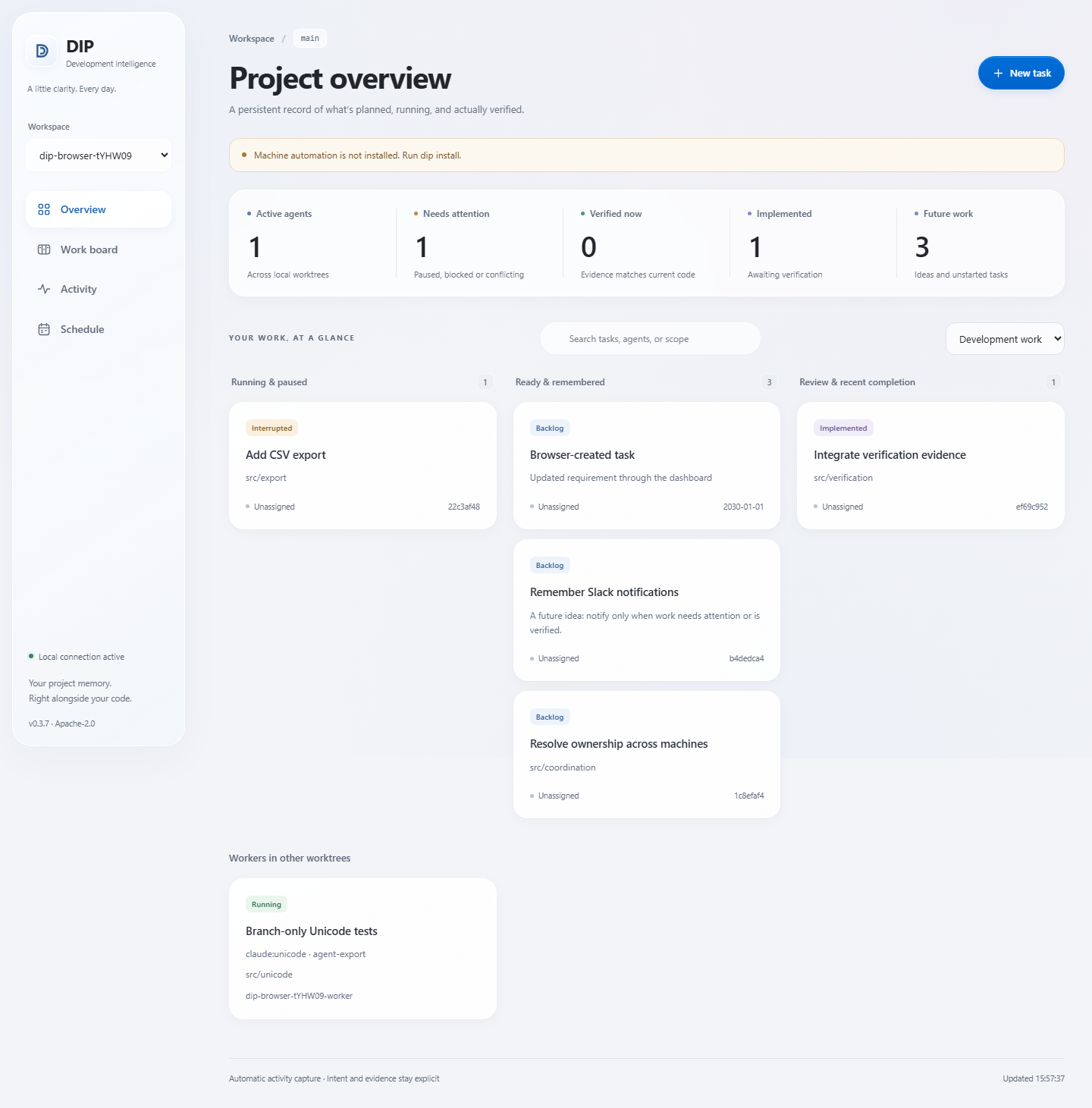
The local dashboard brings projects, task ownership, live activity, handoffs and verification evidence into view.
03 / THE WORKFLOW
Your coding agent supplies the intent. DIP keeps the record.
Explore integration coverage ↗The installer configures agent hooks, MCP, Git integration and a local discovery service. Restart your tools and review their hook trust prompts.
Supported, trusted hooks capture requests and activity. Agents use explicit tools for plans, ownership and meaningful handoffs.
Read outstanding requirements and checkpoints. Use configured checks to establish evidence before recording completed work.
04 / OPEN BY DESIGN
A passing check proves that check's outcome. A saved plan preserves intent. Neither is a promise that all the work is done.
DIP is experimental software. Published studies report measurable tracking overhead and no demonstrated quality or productivity advantage over capable Markdown baselines in the tested workflows.
Read the measurements and methods ↗05 / GET STARTED
Open source. Apache-2.0.
Requires Node.js 24 or newer.
npm install -g github:vxu-labs/dip
dip installMachine setup adds agent configuration, Git hooks, startup integration and project discovery. For a single project, use dip init and dip serve. Setup, privacy controls and removal ↗
BEFORE YOU START
Durable project history lives in .dip/ beside your code and travels through Git when committed. Runtime queues and local coordination stay on your machine. Review captured data before publishing a repository; redaction cannot guarantee every secret is removed.
Automatic capture makes no model calls. Your existing coding agent uses its normal tool loop for planning and task management, which adds measurable overhead.
Live coordination covers one Git worktree family on one machine. Independent clones and machines can share history through Git, but Git alone does not guarantee exclusive live ownership.
Run dip doctor to inspect configuration, service health and observed capture. Configuration alone does not prove a running agent has loaded or trusted its hooks. Restart the agent and review its trust prompts.
Try a first-run workflow, improve the docs, or help with dashboard accessibility. Start with the contributor guide and open issues.